

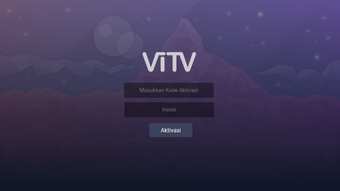
Description
Download ViTV IPTV Player APK – IPTV Player, Live TV Streaming, Android TV, Free IPTV App, HD Streaming, m3u8, mpd, VPN, Android Box, Fire TV, Catch-up TV
Overview
ViTV IPTV Player is a free Android application designed for live TV streaming and catch-up TV content across a variety of devices, including Android TV, Fire TV, Android Box, tablets, and mobile phones. The software enables users to access live television channels and previously aired programs through streaming protocols such as m3u8 and mpd, ensuring high-definition video quality. Its primary purpose is to serve as a centralized platform for users seeking a flexible and accessible way to enjoy live broadcasts without relying on traditional cable or satellite subscriptions.
Target users include casual viewers, cord-cutters, and individuals interested in accessing international content, particularly those who value customization and control over their viewing experience. The app supports features like custom User Agent settings for m3u and single channels, which may be useful for bypassing certain server restrictions or improving compatibility with specific streaming sources. Additionally, the inclusion of a free VPN service suggests an intent to assist users in overcoming geo-restrictions, although the technical implementation and reliability of this feature were not detailed.
Real-world usage scenarios involve setting up the app on a home entertainment system for shared viewing, using it on portable devices for on-the-go access, or integrating it with third-party playlist sources for personalized channel selection. The developer, ViTV, has positioned the app as a comprehensive solution for Android-based streaming, emphasizing ease of use and compatibility with popular hardware platforms.
Key Features & Capabilities
- Live TV Streaming – Supports real-time broadcasting of television channels via m3u8 and mpd protocols, enabling high-quality, low-latency viewing on Android devices.
- HD Content Support – Designed to deliver high-definition video streams, ensuring clear visuals and consistent playback quality.
- Custom User Agent Settings – Allows users to modify the User Agent string for m3u playlists and individual channels, which may improve access to restricted or region-locked streams.
- Free Built-in VPN Service – Offers a network-level privacy and access tool to help users stream geo-blocked content, though the extent of server coverage and performance were not specified.
- Favorite Channel Management – Users can mark preferred channels for quick access, enhancing navigation and personalization.
- Catch-up TV Functionality – Enables playback of recently aired programs, extending viewing flexibility beyond live broadcasts.
- Data Refresh Option – Provides a mechanism to update channel lists and stream URLs, ensuring access to the most current content sources.
- Player Settings Customization – Includes adjustable playback parameters to suit different network conditions and device capabilities.
- Parental Control – Offers content filtering options to restrict access to specific channels or programs based on user-defined preferences.
User Interface, Workflow & Performance
The user interface of ViTV IPTV Player is designed to be intuitive and accessible, with a layout optimized for both touch and remote control navigation. The main screen likely displays a categorized or grid-based channel list, with options to filter by category, sort by favorites, or search for specific channels. Navigation appears to be streamlined, allowing users to switch between channels, access settings, and manage playlists with minimal steps.
Workflow efficiency is enhanced by features such as favorite channel saving and data refresh, which reduce the need for repeated configuration. The app’s ability to handle m3u8 and mpd streams suggests a robust media engine capable of parsing playlist formats commonly used in IPTV services. However, exact performance details such as CPU usage, RAM consumption, or buffering behavior were not provided by the developer.
Stability during extended streaming sessions remains unverified, though the app’s lightweight size of 12.4 MB suggests efficient resource usage. General software behavior patterns indicate that performance may vary depending on network speed, device hardware, and the quality of the stream source. Users are advised to ensure a stable internet connection for optimal playback.
Compatibility & System Requirements
ViTV IPTV Player is designed for Android operating systems and is compatible with a range of devices, including Android TV, Fire TV, Android Box, tablets, and mobile phones. The current version is 1.1.3, with an installation size of 12.4 MB. This relatively small footprint indicates minimal storage impact, making it suitable for devices with limited internal memory.
Exact system requirements were not listed, including minimum Android version or hardware specifications such as CPU, GPU, or RAM. The developer did not provide additional details about supported screen resolutions or audio output formats. Compatibility information is limited to the general Android platform, and users are encouraged to verify functionality on their specific device model.
Given the app’s focus on streaming, performance may be influenced by network stability and the capabilities of the device’s media decoder. The developer did not specify whether hardware acceleration is used for video decoding, which could affect playback smoothness on lower-end devices.
Pros and Cons
Pros
- Free to download and use, with no upfront cost
- Supports HD streaming via m3u8 and mpd protocols
- Includes a built-in free VPN service for accessing geo-restricted content
- Offers customizable features such as user agent settings and favorite channels
- Designed for multiple Android devices, including Fire TV, Android Box, and tablets
- Provides catch-up TV functionality for recent broadcasts
- Small file size (12.4 MB) reduces storage impact
Cons
- Exact system requirements and minimum Android version not specified
- Performance and resource usage details were not provided
- Reliability and speed of the built-in VPN service are unverified
- No official information on update frequency or long-term maintenance
- Dependence on third-party playlist sources for content availability
FAQ Section
Is ViTV IPTV Player compatible with Fire TV and Android Box?
Yes, the app is designed to work on Android TV, Fire TV, Android Box, tablets, and mobile devices. Compatibility is confirmed for major Android-based streaming platforms.
Does ViTV IPTV Player require a subscription or payment?
No, the app is free to download and use. There are no reported subscription fees or in-app purchases required to access core features.
Can I use ViTV IPTV Player without an internet connection?
Streaming functionality requires an active internet connection. The app cannot play live or recorded content offline, as it relies on external sources for media delivery.
Is the built-in VPN service secure and reliable?
The app includes a free VPN service, but the level of encryption, server locations, and performance were not specified by the developer. Users should exercise caution when using third-party network services.
How often are updates released for ViTV IPTV Player?
Update frequency is not publicly disclosed. Users are advised to check the official source for the latest version, which is currently 1.1.3.
Final Thoughts
ViTV IPTV Player presents a compelling option for Android users seeking a free, versatile tool for live TV and catch-up viewing. Its support for HD streaming, custom user agent settings, and built-in VPN service adds value for users who want flexibility and access to international content. The lightweight design and compatibility with popular devices like Fire TV and Android Box make it accessible for a broad audience.
While the lack of detailed system requirements and performance data limits deeper evaluation, the app’s feature set aligns well with the needs of cord-cutters and streaming enthusiasts. The inclusion of parental controls and favorite channel management enhances usability, particularly in shared home environments.
For users looking for a no-cost solution to stream live television across multiple Android platforms, ViTV IPTV Player offers a functional and customizable experience. Its free model, combined with key streaming features, positions it as a practical alternative for those exploring IPTV options.
Download ViTV IPTV Player now
Guides & Tutorials for ViTV IPTV Player APK
How to install ViTV IPTV Player APK
- Click the Preview / Download button above.
- Once redirected, accept the terms and click Install.
- Wait for the ViTV IPTV Player APK download to finish on your device.
How to use ViTV IPTV Player APK
This software is primarily used for its core features described above. Open the app after installation to explore its capabilities.
User Reviews for ViTV IPTV Player APK 0
No reviews found





